Check your device output
Before connecting, confirm that your device supports USB-C video output with DisplayPort Alt Mode. Charging-only and data-only USB-C ports will not work.
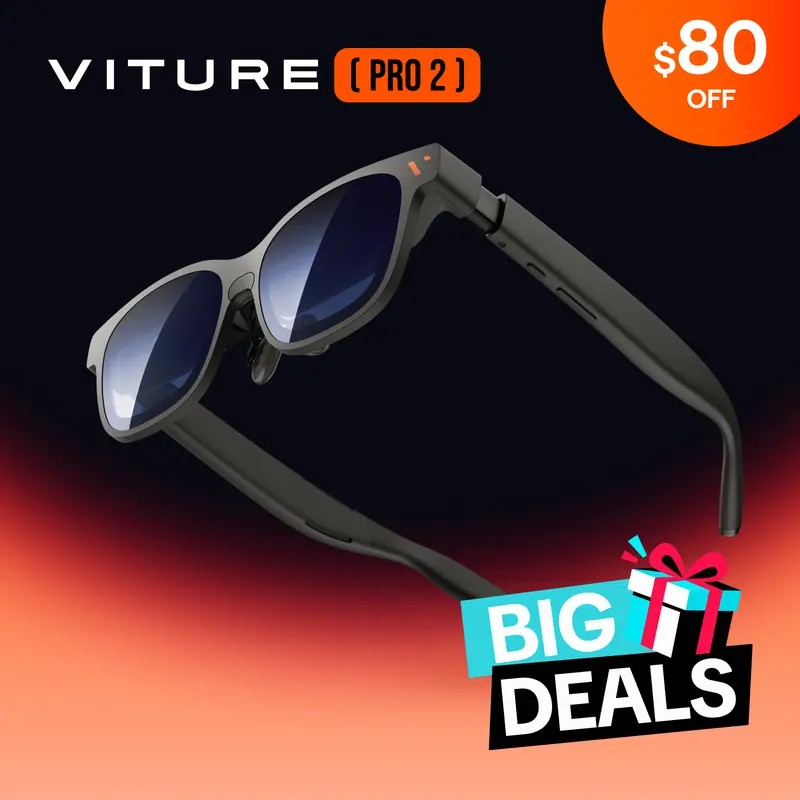
Turn a compatible device into a private wearable screen.
Secure checkout - Tracking number provided
VITURE Pro 2 XR Glasses work as a display for supported devices with USB-C video output and DisplayPort Alt Mode. Your connected device runs the apps and controls, while the glasses show the content. Listed direct-use categories include supported phones, tablets, laptops, and gaming handhelds.
When you want a bigger screen without packing a separate monitor, VITURE Pro 2 gives compatible devices a more private, wearable viewing setup. Connect a supported phone, tablet, laptop, or handheld, then fine-tune the fit with adjustable nose pads and built-in diopter control for each eye.
What's included:
VITURE Pro 2 XR Glasses x1
Lens Shade x1
Nose Pads x3
USB-C to USB-C Cable x1
Glasses Case x1
Glasses Cloth x1
User Guide x2
Safety Guidelines x1
Variant options:
Glasses Only
Mini Dock Pack (Mobile Dock Mini)
Gaming Pack (Controller)
Built-in diopter adjustment: 0 to -5.00D
Nose pads: 3 pieces, 7 adjustable positions
USB-C cable length: 1.2 m
Weight: 63 g
Display: Sony Micro-OLED
Brightness: 1,600 nits
Shipping options are shown at checkout. See our shipping and return policies for details.
1. Check that your device supports USB-C video output with DisplayPort Alt Mode.
2. Connect the glasses with the included USB-C to USB-C cable.
3. Open and control your apps from the connected device. VITURE Pro 2 works as the display and does not run apps on its own.
4. Adjust the nose pads and diopter settings for your fit and view.
Compatibility notes:
- Charging-only and data-only USB-C ports are not supported.
- Direct connection is listed for iPhone 17 / 16 / 15 USB-C models, except iPhone 17e, 16e, and iPhone Air.
- Listed direct-use categories also include compatible Android phones with DP Alt Mode, compatible USB-C iPads, MacBook and PC laptops with USB-C video output, and Steam Deck, ROG Ally, and Legion Go.
- Switch, Switch 2, PS5, Xbox, Fire TV Stick, and other HDMI devices require the VITURE Pro Mobile Dock.
- Not compatible with the USB-C XR Charging Adapter for iPhone 17/16/15 Series.

If you want a more private viewing setup without packing a separate monitor, VITURE Pro 2 is built to work as a display for compatible devices you already carry. Connect it to a supported phone, tablet, laptop, or gaming handheld and use that device as the source for video, apps, and controls.
Get VITURE Pro 2 ↗
VITURE Pro 2 is a display device, not a standalone player. That matters when you choose a setup: your connected device runs the apps, while the glasses show the content. Direct connection requires USB-C video output with DisplayPort Alt Mode. HDMI devices such as Switch, PS5, Xbox, and Fire TV Stick need the VITURE Pro Mobile Dock.
Get VITURE Pro 2 ↗
The glasses include built-in diopter adjustment from 0 to -5.00D, so each eye can be tuned within the stated range. Three nose pads with seven adjustable positions help you fine-tune the fit. In the case, you also get a lens shade, a 1.2 m USB-C cable, a glasses cloth, and the storage case.
Get VITURE Pro 2 ↗Before connecting, confirm that your device supports USB-C video output with DisplayPort Alt Mode. Charging-only and data-only USB-C ports will not work.
Use the included USB-C to USB-C cable for supported devices. For Switch, PS5, Xbox, Fire TV Stick, and other HDMI devices, use the VITURE Pro Mobile Dock.
Choose the nose pad position that fits best, then set the built-in diopter adjustment for each eye before you watch, play, or work.
VITURE Pro 2 XR Glasses work as a display for supported devices with USB-C video output and DisplayPort Alt Mode. Your connected device runs the apps and controls, while the glasses show the content. Listed direct-use categories include supported phones, tablets, laptops, and gaming handhelds.
What's included:
VITURE Pro 2 XR Glasses x1
Lens Shade x1
Nose Pads x3
USB-C to USB-C Cable x1
Glasses Case x1
Glasses Cloth x1
User Guide x2
Safety Guidelines x1
Variant options:
Glasses Only
Mini Dock Pack (Mobile Dock Mini)
Gaming Pack (Controller)
Built-in diopter adjustment: 0 to -5.00D
Nose pads: 3 pieces, 7 adjustable positions
USB-C cable length: 1.2 m
Weight: 63 g
Display: Sony Micro-OLED
Brightness: 1,600 nits
Shipping options are shown at checkout. See our shipping and return policies for details.
Not satisfied for any reason? Return it within 30 days for your money back. No questions asked.
Our friendly customer service team is here to help 24/7. Before you buy or after it arrives, you're always welcome to reach out.